
Reenvio de arquivos
Tutorial para envio de novos arquivos na fase de pré-avaliação
Leia abaixo os sete passos para enviar novo arquivo para complementar ou modificar a sua submissão.
1) Fazer login na página da Revista de Italianística:
2) Na aba “submissões” você verá seu histórico de submissões. Localize o trabalho que precisa de alterações e clique na seta à direita:

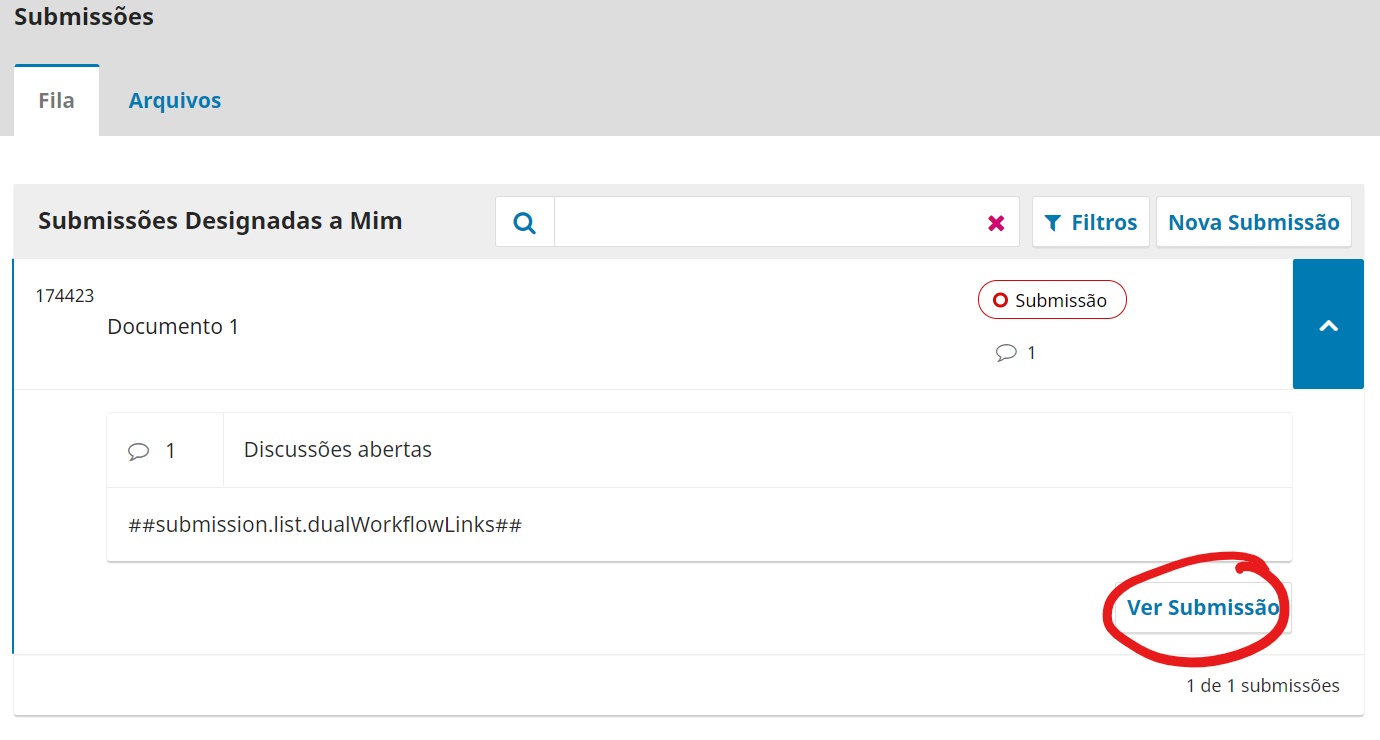
3) Uma vez abertas as informações sobre o trabalho, clicar em “ver submissão”:
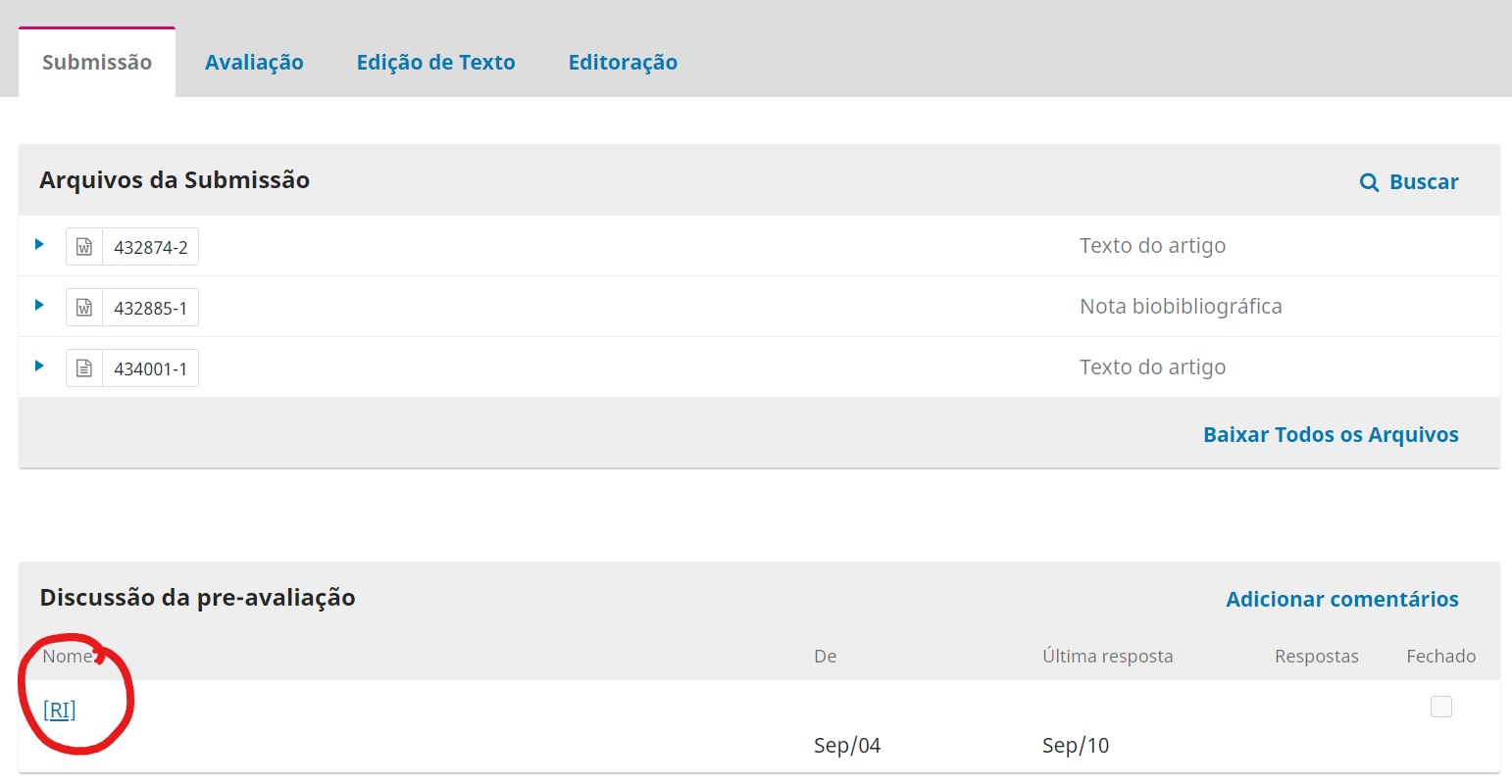
4) Em seguida, clicar na notificação que se encontra na seção “Discussão de pré-avaliação”:
5) Conferir a mensagem enviada pela equipe editorial, prestando atenção a todas as solicitações:

6) Terminadas as modificações necessárias, responder a notificação. Anexar o arquivo clicando em “Enviar Arquivo”

7) A anexação de arquivos vai ser realizada conforem os seguintes passos:
7.1) Selecionar o tipo de arquivo em “componentes do artigo”

7.2) Clicar em “enviar arquivo” para fazer upload do documento a partir do seu computador

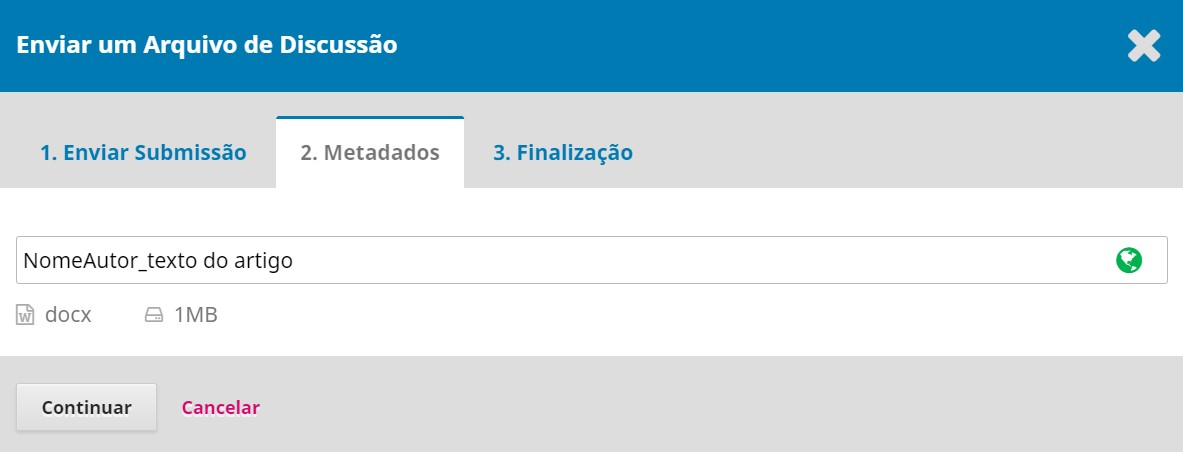
7.3) Conferir os metadados
7.4) Clicar em “Concluir” ou, caso precise anexar mais documentos, em “Enviar um Novo Arquivo”:

7.5) Conferir se todos os documentos necessários foram anexados e clicar em “ok”